mirror of
https://github.com/kennethreitz/records.git
synced 2026-06-05 23:00:20 +00:00

162 lines
4.7 KiB
Markdown
162 lines
4.7 KiB
Markdown
# Records: SQL for Humans™
|
|
|
|
[](https://pypi.python.org/pypi/records)
|
|
|
|
**Records is a very simple, but powerful, library for making raw SQL
|
|
queries to most relational databases.**
|
|
|
|

|
|
|
|
Just write SQL. No bells, no whistles. This common task can be
|
|
surprisingly difficult with the standard tools available. This library
|
|
strives to make this workflow as simple as possible, while providing an
|
|
elegant interface to work with your query results.
|
|
|
|
*Database support includes RedShift, Postgres, MySQL, SQLite, Oracle,
|
|
and MS-SQL (drivers not included).*
|
|
|
|
## ☤ The Basics
|
|
|
|
We know how to write SQL, so let's send some to our database:
|
|
|
|
``` python
|
|
import records
|
|
|
|
db = records.Database('postgres://...')
|
|
rows = db.query('select * from active_users') # or db.query_file('sqls/active-users.sql')
|
|
```
|
|
|
|
Grab one row at a time:
|
|
|
|
``` python
|
|
>>> rows[0]
|
|
<Record {"username": "model-t", "active": true, "name": "Henry Ford", "user_email": "model-t@gmail.com", "timezone": "2016-02-06 22:28:23.894202"}>
|
|
```
|
|
|
|
Or iterate over them:
|
|
|
|
``` python
|
|
for r in rows:
|
|
print(r.name, r.user_email)
|
|
```
|
|
|
|
Values can be accessed many ways: `row.user_email`, `row['user_email']`,
|
|
or `row[3]`.
|
|
|
|
Fields with non-alphanumeric characters (like spaces) are also fully
|
|
supported.
|
|
|
|
Or store a copy of your record collection for later reference:
|
|
|
|
``` python
|
|
>>> rows.all()
|
|
[<Record {"username": ...}>, <Record {"username": ...}>, <Record {"username": ...}>, ...]
|
|
```
|
|
|
|
If you're only expecting one result:
|
|
|
|
``` python
|
|
>>> rows.first()
|
|
<Record {"username": ...}>
|
|
```
|
|
|
|
Other options include `rows.as_dict()` and `rows.as_dict(ordered=True)`.
|
|
|
|
## ☤ Features
|
|
|
|
- Iterated rows are cached for future reference.
|
|
- `$DATABASE_URL` environment variable support.
|
|
- Convenience `Database.get_table_names` method.
|
|
- Command-line <span class="title-ref">records</span> tool for
|
|
exporting queries.
|
|
- Safe parameterization:
|
|
`Database.query('life=:everything', everything=42)`.
|
|
- Queries can be passed as strings or filenames, parameters supported.
|
|
- Transactions: `t = Database.transaction(); t.commit()`.
|
|
- Bulk actions: `Database.bulk_query()` &
|
|
`Database.bulk_query_file()`.
|
|
|
|
Records is proudly powered by [SQLAlchemy](http://www.sqlalchemy.org)
|
|
and [Tablib](https://tablib.readthedocs.io/en/latest/).
|
|
|
|
## ☤ Data Export Functionality
|
|
|
|
Records also features full Tablib integration, and allows you to export
|
|
your results to CSV, XLS, JSON, HTML Tables, YAML, or Pandas DataFrames
|
|
with a single line of code. Excellent for sharing data with friends, or
|
|
generating reports.
|
|
|
|
``` pycon
|
|
>>> print(rows.dataset)
|
|
username|active|name |user_email |timezone
|
|
--------|------|----------|-----------------|--------------------------
|
|
model-t |True |Henry Ford|model-t@gmail.com|2016-02-06 22:28:23.894202
|
|
...
|
|
```
|
|
|
|
**Comma Separated Values (CSV)**
|
|
|
|
``` pycon
|
|
>>> print(rows.export('csv'))
|
|
username,active,name,user_email,timezone
|
|
model-t,True,Henry Ford,model-t@gmail.com,2016-02-06 22:28:23.894202
|
|
...
|
|
```
|
|
|
|
**YAML Ain't Markup Language (YAML)**
|
|
|
|
``` python
|
|
>>> print(rows.export('yaml'))
|
|
- {active: true, name: Henry Ford, timezone: '2016-02-06 22:28:23.894202', user_email: model-t@gmail.com, username: model-t}
|
|
...
|
|
```
|
|
|
|
**JavaScript Object Notation (JSON)**
|
|
|
|
``` python
|
|
>>> print(rows.export('json'))
|
|
[{"username": "model-t", "active": true, "name": "Henry Ford", "user_email": "model-t@gmail.com", "timezone": "2016-02-06 22:28:23.894202"}, ...]
|
|
```
|
|
|
|
**Microsoft Excel (xls, xlsx)**
|
|
|
|
``` python
|
|
with open('report.xls', 'wb') as f:
|
|
f.write(rows.export('xls'))
|
|
```
|
|
|
|
**Pandas DataFrame**
|
|
|
|
``` python
|
|
>>> rows.export('df')
|
|
username active name user_email timezone
|
|
0 model-t True Henry Ford model-t@gmail.com 2016-02-06 22:28:23.894202
|
|
```
|
|
|
|
You get the point. All other features of Tablib are also available, so
|
|
you can sort results, add/remove columns/rows, remove duplicates,
|
|
transpose the table, add separators, slice data by column, and more.
|
|
|
|
See the [Tablib Documentation](https://tablib.readthedocs.io/) for more
|
|
details.
|
|
|
|
## ☤ Installation
|
|
|
|
Of course, the recommended installation method is
|
|
[pipenv](http://pipenv.org):
|
|
|
|
$ pipenv install records[pandas]
|
|
✨🍰✨
|
|
|
|
## ☤ Thank You
|
|
|
|
Thanks for checking this library out! I hope you find it useful.
|
|
|
|
Of course, there's always room for improvement. Feel free to [open an
|
|
issue](https://github.com/kennethreitz/records/issues) so we can make
|
|
Records better, stronger, faster.
|
|
|
|
--------------
|
|
|
|
[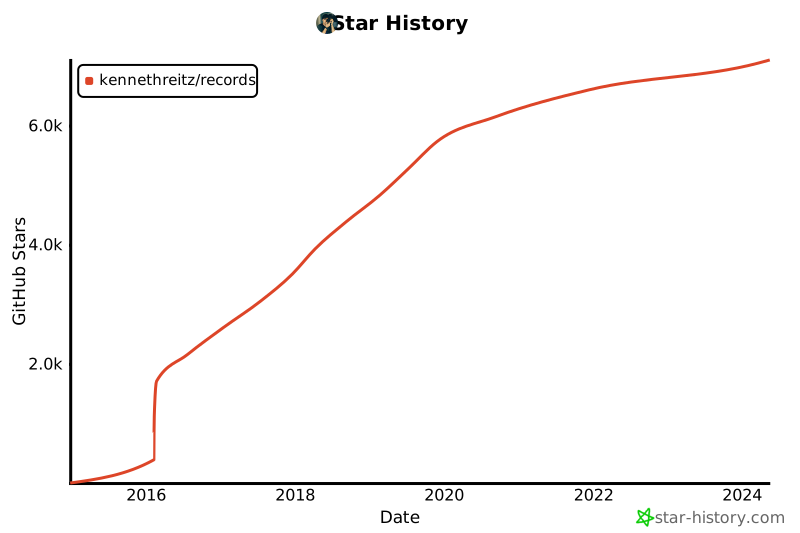](https://star-history.com/#kennethreitz/records&Date)
|